prathamaar
All projects

Pulse

Meta Ads

Pulse — Multi-Account Data Pull

Pulse lets staff request Meta Ads data for a chosen account and date range without asking a supervisor to run each pull. The dashboard keeps administration of the reporting system separate from day-to-day use.

Platform
Meta Ads
Technology
Meta APIGoogle Apps ScriptGoogle SitesGoogle Sheets

Pulse Case Study

Project Overview

Staff can select an ad account, define the reporting period, choose the level of data they need, and start the pull directly from the dashboard. Once the process runs, the requested data is automatically updated in Google Sheets. The dashboard supports separate Web and CPAS data sources and allows data to be pulled at Account, Campaign, Ad Set, Ads, or all levels.

Access Limitation

The Problem

Custom Meta Ads data pulls originally had to be initiated directly from the master Google Sheet. Access to the master sheet and its configuration is restricted to supervisor level and above, while staff have view-only access. This meant staff had to ask a supervisor for routine custom data pulls.

Controlled Interface

The Solution

I built Pulse as a controlled interface between staff and the existing Meta Ads data pipeline. It exposes the controls needed to request data, while the underlying automation handles retrieval and updates the corresponding Google Sheets dataset.

Five Sequential Steps

How Pulse Works

Step 01

Select the Data Source

Pulse brings separate Meta Ads pipelines into one internal hub. Staff can switch between Web and CPAS depending on the type of account they need to work with. This keeps different account groups accessible from the same interface without requiring staff to navigate separate master systems.
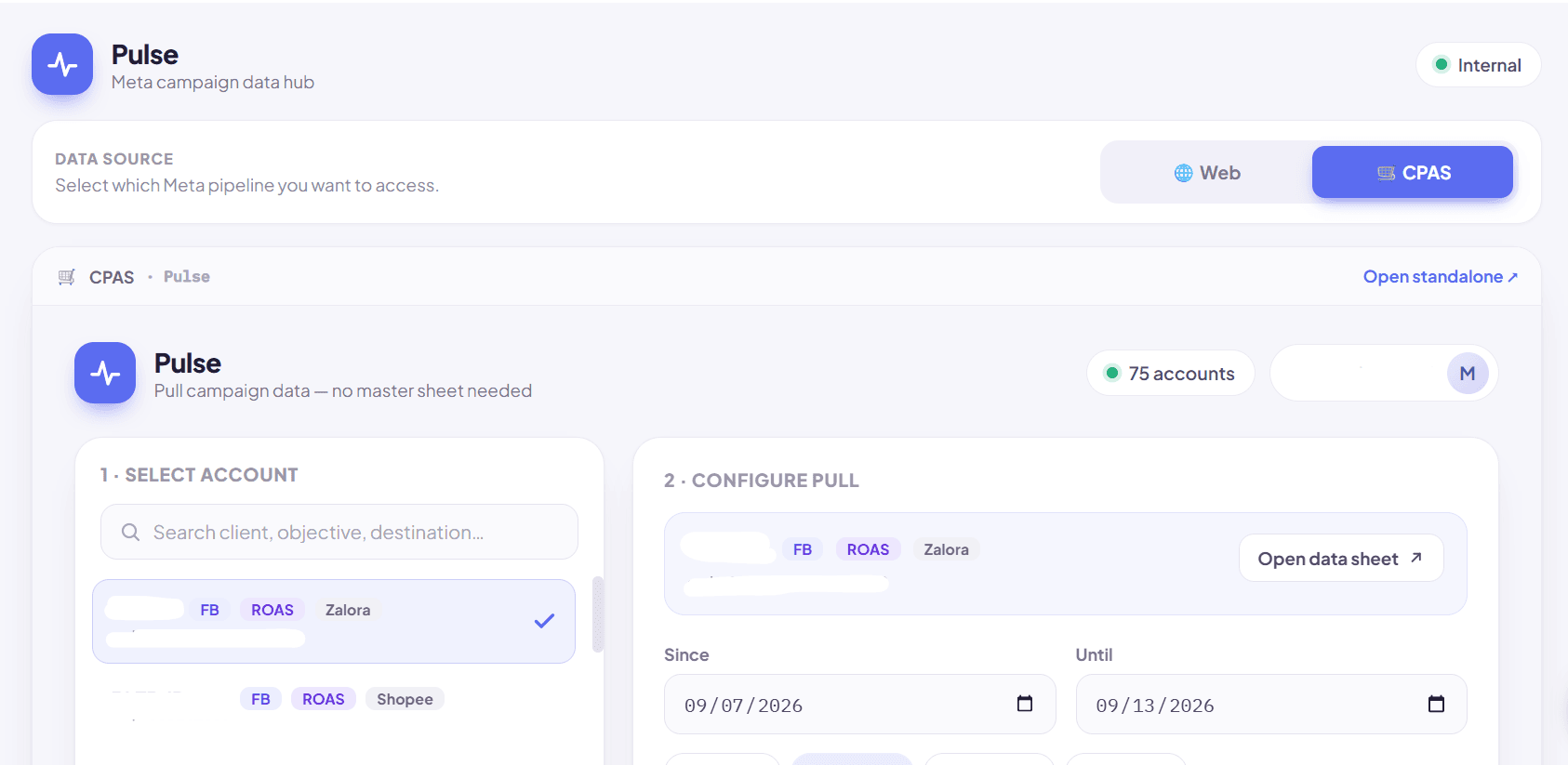
Pulse CPAS dashboard with the CPAS data source and account list
The separate CPAS pipeline is available from the same internal Pulse hub.Open full-size screenshot

Step 02

Select the Ad Account

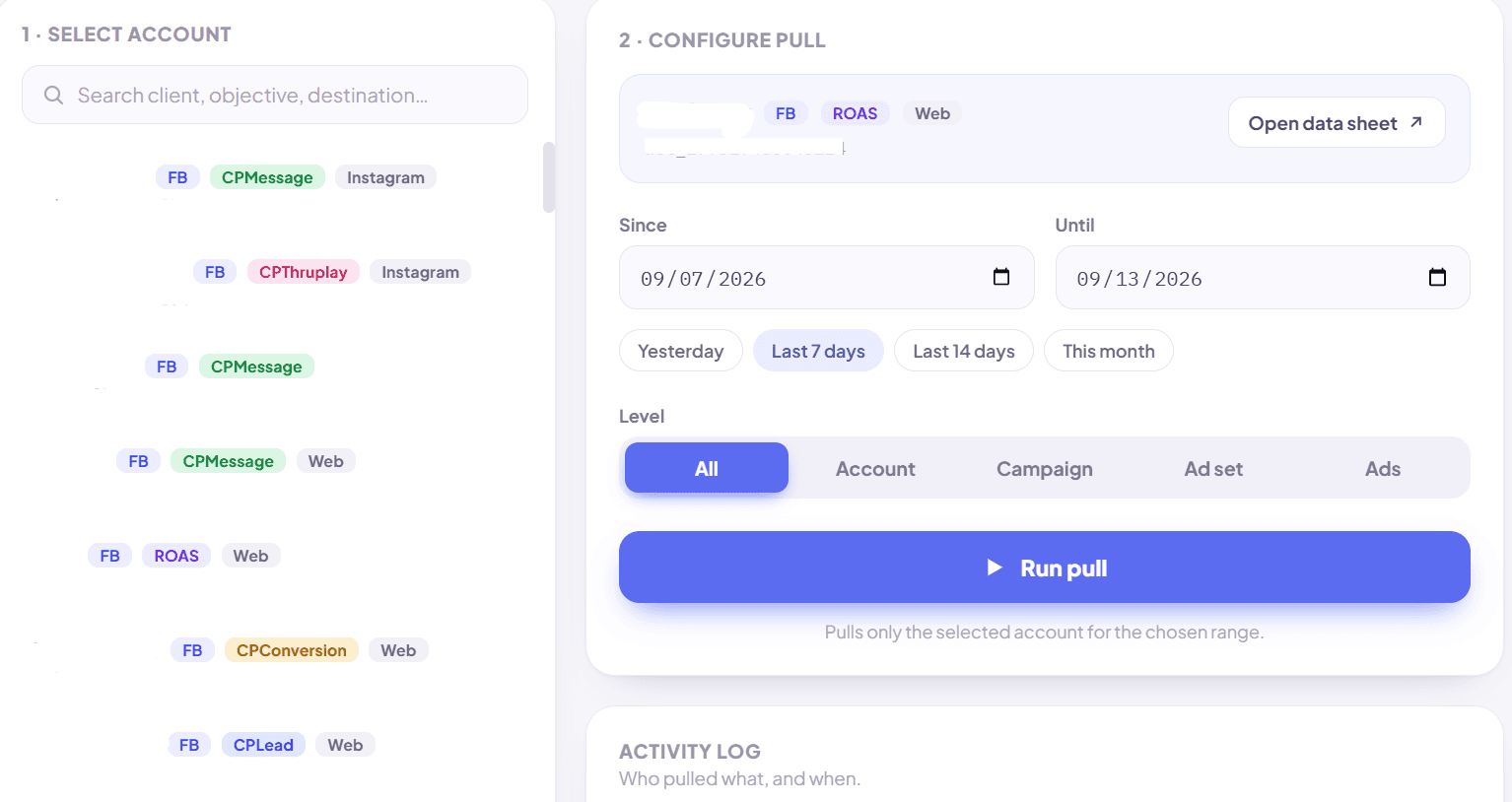
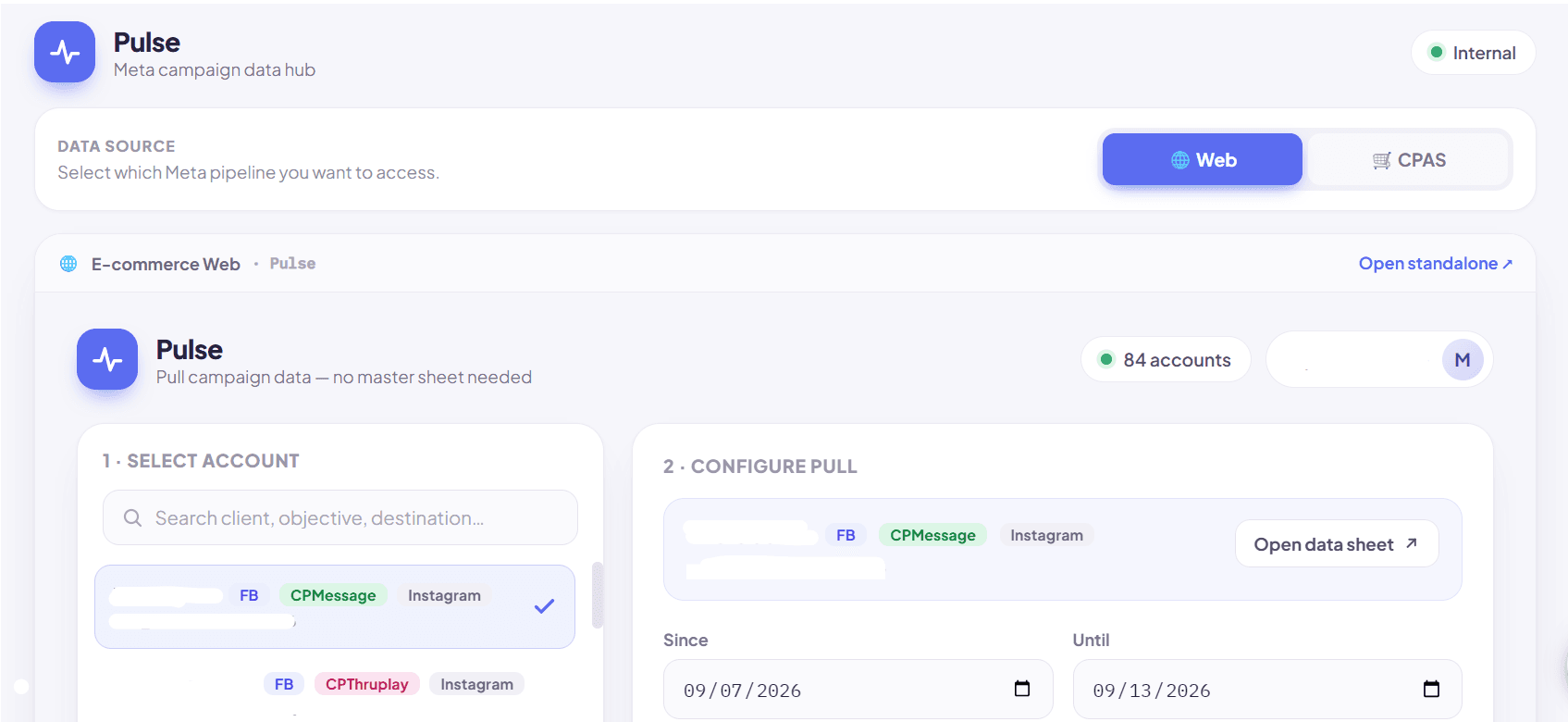
Staff can search the available account list using client, objective, or destination information and select the account they want to work with. The dashboard presents only the operational controls needed for the pull, while the underlying master configuration remains outside the staff-facing interface.

Pulse Web dashboard with searchable Meta Ads account selection
The main Web dashboard provides account selection and the controls needed to request data.Open full-size screenshot

Step 05

Run the Pull

Once the account, date range, and reporting level are selected, staff can start the process using Run pull. The request is handled by the underlying Google Apps Script workflow, which retrieves the requested Meta Ads data and automatically updates it in Google Sheets.

Restricted Configuration

Permission & Access Design

Pulse was designed around a simple access principle: the people who need campaign data do not necessarily need access to the system credentials used to retrieve it. The master Google Sheet and Apps Script configuration remain restricted to supervisor level and above. Staff use the Pulse interface for operational data pulls and do not need edit access to the master setup.

Supervisor Level and Above

Access to:

  • Master Google Sheet
  • Apps Script project and configuration
  • Restricted API configuration
  • Underlying reporting workflow

Staff

Access to:

  • Pulse dashboard
  • Account selection
  • Date-range controls
  • Reporting-level controls
  • Run pull
  • Updated reporting data in Google Sheets

Access Model

From Supervisor Dependency to Staff Self-Service

Before Pulse

A staff member who needed a custom Meta Ads data pull could not initiate it independently from the master system. The request had to go through someone with supervisor-level access because the operational workflow and sensitive API configuration were part of the restricted setup.

With Pulse

Staff can initiate the same operational request through a purpose-built interface without receiving access to the master configuration. They select what they need, run the pull, and use the updated data in Google Sheets. Supervisor-level access remains reserved for administration and configuration rather than routine data requests.

Result

Project Outcome

Staff can request a custom date range and reporting level from Pulse, then use the updated Google Sheets data. Supervisors retain control of the reporting configuration.

Need an on-demand reporting interface?

Tell me which routine data requests your team needs to handle.

Discuss a project