ADD
Relevant terms worth considering as new keywords or as signals for further keyword expansion.
Search Term Analyzer
Google AdsA Google Sheets-based workflow that uses Claude to review Google Ads search terms against real business context and organize them into clear ADD, NEGATIVE, or MONITOR recommendations. Each recommendation includes an explanation for the analyst to review.
Recurring Review
Each week, analysts check search terms against the client's products, customers, service area, and competitors before deciding what to add, exclude, or keep watching. A term can look relevant in isolation while still being a poor fit for the actual business. Rechecking that context across a large list takes time that could otherwise support higher-value optimization work.
Decision Support
I built an earlier internal Search Term Analyzer that combines a structured business brief with Google Ads search term data and Claude-assisted analysis in Google Sheets. It produces a recommended classification and written reason for each submitted term.
This internal workflow is separate from the public Search Term Classifier, which focuses on intent classification and negative-keyword lists.
Four Steps
01
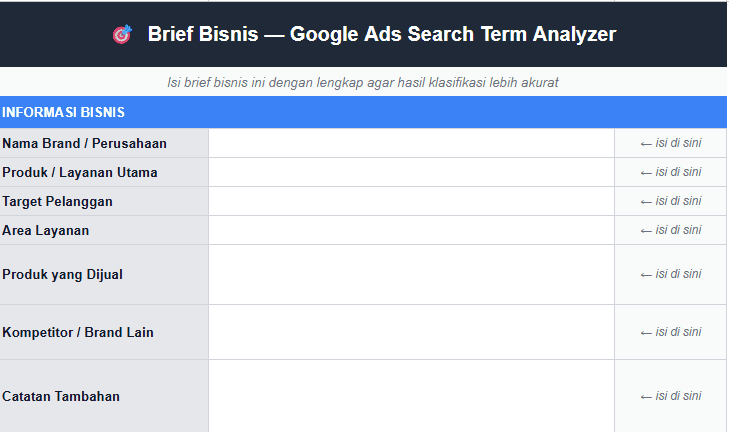
The reviewer completes a short business brief covering the brand, offering, target customers, service area, competitors, and additional notes.
02
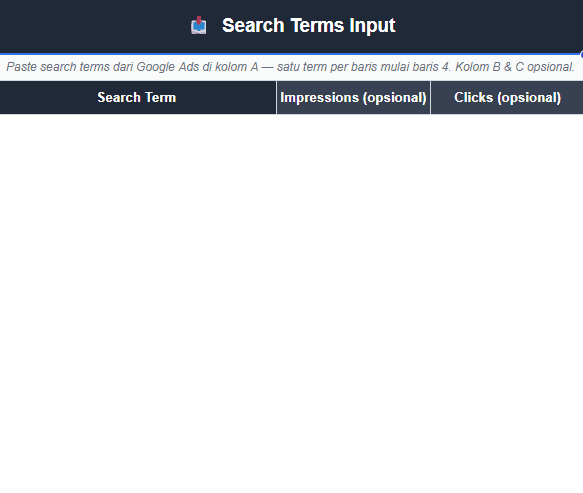
Search terms from Google Ads are added to the input sheet. Impression and click columns can be included as optional reference, but they do not determine the classification.
03
The user initiates the analysis, and the submitted terms are evaluated against the provided business context to create a structured first pass.
04
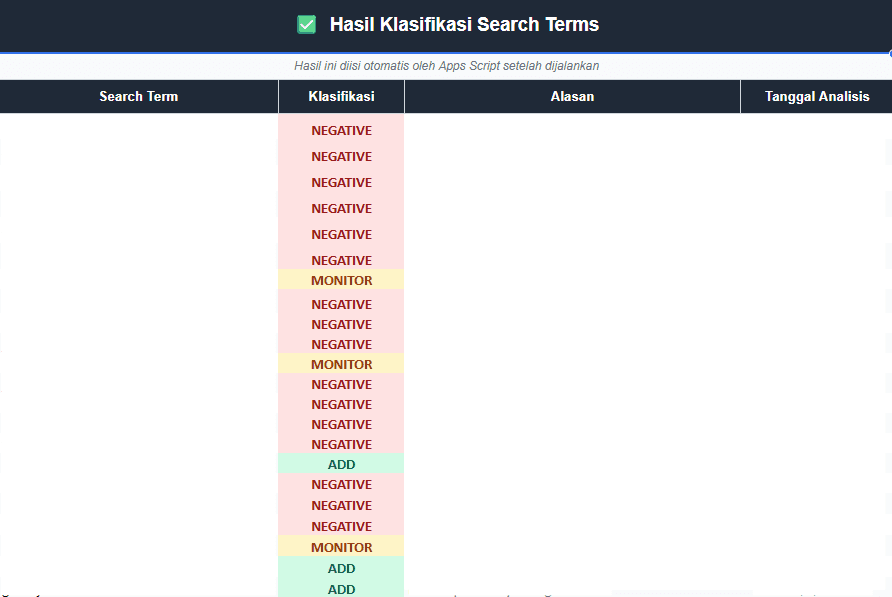
Each term receives an ADD, NEGATIVE, or MONITOR recommendation with a reason and analysis date. The analyst reviews the output before manually making any changes in Google Ads.
Workflow Inputs
Three Recommendations
Relevant terms worth considering as new keywords or as signals for further keyword expansion.
Terms that do not align with the business, offering, target audience, or campaign intent and should be considered for exclusion.
Potentially relevant terms that do not yet provide enough confidence for an immediate ADD or NEGATIVE decision.
Contextual Relevance
Search term relevance is rarely determined by a keyword alone. The same query can be valuable for one advertiser and irrelevant for another depending on product range, customer profile, geographic coverage, positioning, and campaign objective. The business brief gives the review those criteria instead of relying on the query alone.
The Outcome
Instead of beginning with an unclassified list, the analyst receives an organized first pass that can be validated and acted on. The explanation attached to every recommendation makes each classification easier to review.
Recommendations do not add or exclude keywords automatically; the analyst decides what to implement and makes any final changes manually in Google Ads.
Review Output
Tell me how your team reviews search terms and business context.