Google Ads Weekly Report
Google AdsAI-assisted weekly Google Ads reports
The workflow uses Claude to draft commentary from the selected Google Ads data. A draft is normally available within a few minutes for the analyst to review.
- Platform
- Google Ads
- Technology
- Google AdsGoogle Ads ScriptsGoogle SheetsClaude API
Recurring Analysis
The Problem
Weekly Google Ads reporting involves more than exporting metrics. The analyst still needs to compare periods, identify meaningful changes, understand what may be driving those changes, determine what requires attention, and translate the findings into recommendations that a client can understand. Doing this repeatedly across multiple accounts and reporting levels creates a large amount of recurring analytical work, especially when the same structure needs to be produced every week while accounting for different campaign objectives and account conditions.
AI-Assisted Workflow
What I Built
I built a workflow that retrieves the selected Google Ads data and uses Claude to draft a report for analyst review. Data retrieval supplies the reporting dataset; Claude turns that dataset into commentary for the selected reporting views.
Four Steps
How It Works
01
Configure the Report
The analyst defines the reporting context and output preferences in a central settings sheet.
02
Retrieve Performance Data
The workflow gathers the relevant Google Ads performance data based on the selected reporting configuration.
03
Generate Structured Analysis
Claude analyzes the performance data and organizes the findings into executive summaries, highlights, areas requiring attention, and recommendations.
04
Review and Use the Output
The commentary returns to the reporting workspace for the analyst to review, refine, and use in recurring reports.
Adaptable Inputs
Configurable Reporting
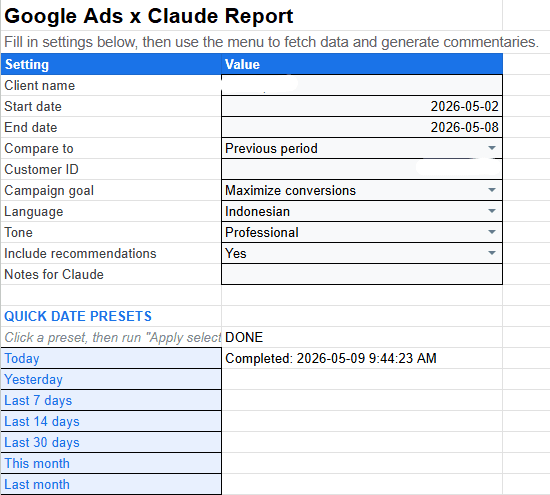
The workflow was designed to support different reporting situations instead of forcing every account into the same narrative. The analyst can select the account, configure the date range and comparison period, specify the campaign objective, choose the output language and tone, and decide whether recommendations should be included.
Reusable Analysis
Structured Commentary Across Reporting Levels
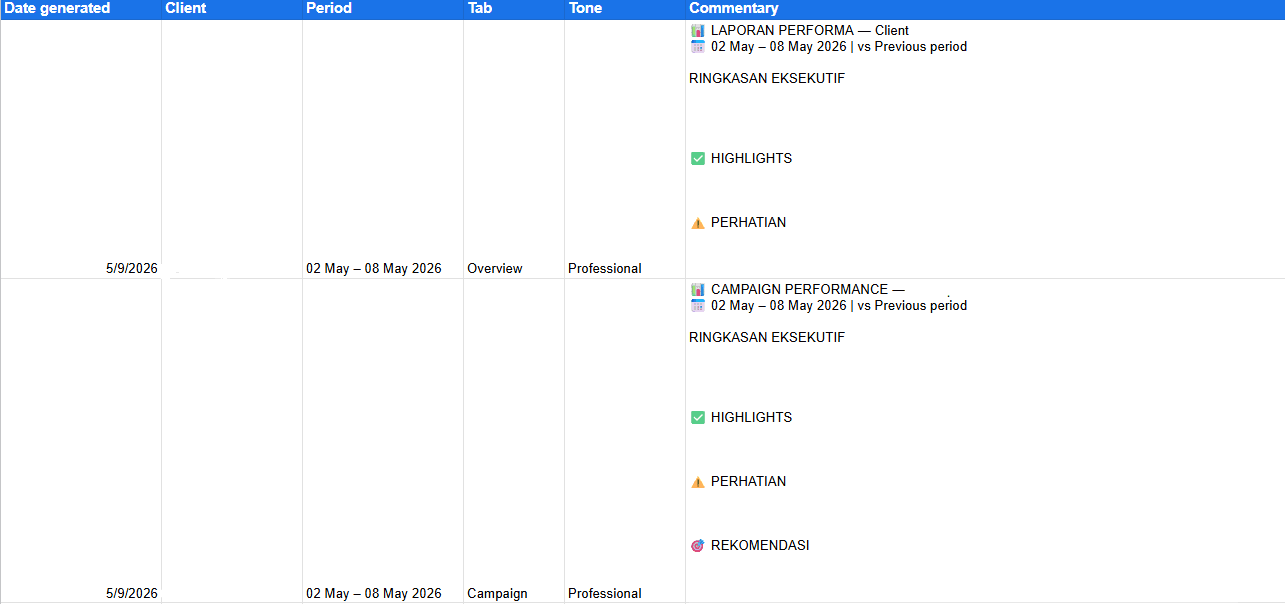
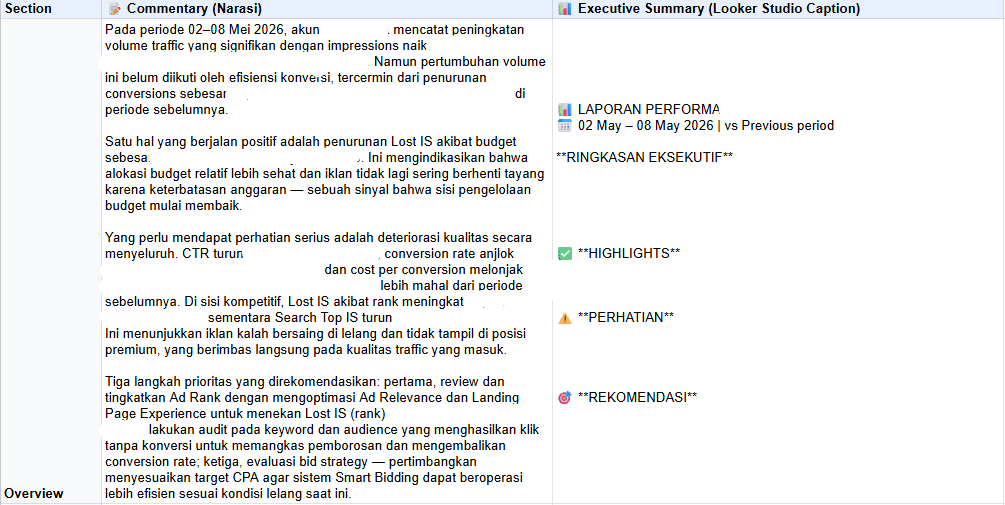
The workflow can produce analysis for multiple Google Ads views, helping the analyst move from overall account performance into more granular performance areas without rebuilding the commentary structure each time. Rather than returning a single block of AI-generated text, the output is organized around Executive Summary, Highlights, Areas of Attention, and Recommendations so it is easier to review and reuse in client-facing reporting.
Analyst-Led Decisions
Human Review Stays in the Loop
AI-generated commentary is treated as an analytical starting point, not an automatic final answer. Claude does not control or optimize campaigns, and generated recommendations are not automatically implemented.
The analyst remains responsible for validating the interpretation, applying account context, and deciding which recommendations should ultimately be communicated or implemented.
The Outcome
Result
A reporting draft ready for review
The analyst starts with a draft organized into an executive summary, highlights, areas of attention, and recommendations. They then check it against the account context before sharing, rather than drafting each section from scratch.
Reporting Workspace
Screenshots
Need a reporting draft your team can review?
Tell me how your team prepares recurring Google Ads reports.